testtest

SA Website Firearm Selector

Bear007

Custom
Good morning all,

Did I miss an earlier thread on this?

I guess I haven't needed to do a specific "Firearm Search" in a while on the SA website. The Filters use to allow multiple ways to search such as caliber, model, purpose, etc. Now I get just 3 options, rifle or handgun, price range & state compliant models.

When did the other options disappear?

I actually liked the filter option a few years back where you could eliminate all the different state compliant models from the search and only see the stock models.
1000034829.jpg
 
Thanks, I just went to Compare, scrolled down and selected caliber, then .380 and it gave me the typical "Error 404 - page not found". 🙄

I am getting a lot of delayed and no responses on the SA website pages also. Quite often I sit waiting for the page to respond but I don't get anything until I hit the page refresh.
 
hmm i just went through the 1911 part
in garrison i was able to select 45 or 9mm, not sure if i was in same spot you were looking
the site is wonky IMO as it seems to think to long
i am not smart enough to do a screen shot in win 11, everytime i try, the screen flashes and i can never find the picture
 
hmm i just went through the 1911 part
in garrison i was able to select 45 or 9mm, not sure if i was in same spot you were looking
the site is wonky IMO as it seems to think to long
i am not smart enough to do a screen shot in win 11, everytime i try, the screen flashes and i can never find the picture

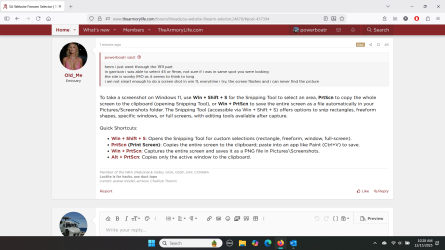
To take a screenshot on Windows 11, use Win + Shift + S for the Snipping Tool to select an area, PrtScn to copy the whole screen to the clipboard (opening Snipping Tool), or Win + PrtScn to save the entire screen as a file automatically in your Pictures/Screenshots folder. The Snipping Tool (accessible via Win + Shift + S) offers options to snip rectangles, freeform shapes, specific windows, or full screens, with editing tools available after capture.

Quick Shortcuts:
  • Win + Shift + S: Opens the Snipping Tool for custom selections (rectangle, freeform, window, full-screen).
  • PrtScn (Print Screen): Copies the entire screen to the clipboard; paste into an app like Paint (Ctrl+V) to save.
  • Win + PrtScn: Captures the entire screen and saves it as a PNG file in Pictures\Screenshots.
  • Alt + PrtScn: Copies only the active window to the clipboard.
 
To take a screenshot on Windows 11, use Win + Shift + S for the Snipping Tool to select an area, PrtScn to copy the whole screen to the clipboard (opening Snipping Tool), or Win + PrtScn to save the entire screen as a file automatically in your Pictures/Screenshots folder. The Snipping Tool (accessible via Win + Shift + S) offers options to snip rectangles, freeform shapes, specific windows, or full screens, with editing tools available after capture.

Quick Shortcuts:
  • Win + Shift + S: Opens the Snipping Tool for custom selections (rectangle, freeform, window, full-screen).
  • PrtScn (Print Screen): Copies the entire screen to the clipboard; paste into an app like Paint (Ctrl+V) to save.
  • Win + PrtScn: Captures the entire screen and saves it as a PNG file in Pictures\Screenshots.
  • Alt + PrtScn: Copies only the active window to the clipboard.
 

Attachments

  • Screenshot 2025-12-15 102913.png
    Screenshot 2025-12-15 102913.png
    345.7 KB · Views: 32
Good morning all,

Did I miss an earlier thread on this?

I guess I haven't needed to do a specific "Firearm Search" in a while on the SA website. The Filters use to allow multiple ways to search such as caliber, model, purpose, etc. Now I get just 3 options, rifle or handgun, price range & state compliant models.

When did the other options disappear?

I actually liked the filter option a few years back where you could eliminate all the different state compliant models from the search and only see the stock models.
View attachment 99765

Thanks for the heads up on this. I've passed this feedback onto the developers of the main Springfield website, and I'll let you know once I have more info.
 
To take a screenshot on Windows 11, use Win + Shift + S for the Snipping Tool to select an area, PrtScn to copy the whole screen to the clipboard (opening Snipping Tool), or Win + PrtScn to save the entire screen as a file automatically in your Pictures/Screenshots folder. The Snipping Tool (accessible via Win + Shift + S) offers options to snip rectangles, freeform shapes, specific windows, or full screens, with editing tools available after capture.

Quick Shortcuts:
  • Win + Shift + S: Opens the Snipping Tool for custom selections (rectangle, freeform, window, full-screen).
  • PrtScn (Print Screen): Copies the entire screen to the clipboard; paste into an app like Paint (Ctrl+V) to save.
  • Win + PrtScn: Captures the entire screen and saves it as a PNG file in Pictures\Screenshots.
  • Alt + PrtScn: Copies only the active window to the clipboard.
Windows 11, I gave up on Microsoft operating systems years ago, right after Win7, best one they had in my opinion was XP Pro, I used that for all my gaming pc’s back in the day
 
Windows 11, I gave up on Microsoft operating systems years ago, right after Win7, best one they had in my opinion was XP Pro, I used that for all my gaming pc’s back in the day
yeah, i am still a Windows person...i thought about another OS, and had Mandrake, and Red Hat, but those systems i could not migrate stuff/files from my MS system at the time, might have been XP Home i think.

so i gave up.

i have "learnt" most everything on my own, no night school, no online schooling.

getting too old to start learning anymore now.
 
yeah, i am still a Windows person...i thought about another OS, and had Mandrake, and Red Hat, but those systems i could not migrate stuff/files from my MS system at the time, might have been XP Home i think.

so i gave up.

i have "learnt" most everything on my own, no night school, no online schooling.

getting too old to start learning anymore now.
I use android phone and windows on the laptop (though i am in dire need of a new laptop). Apple crap hides too much from the users.

When I was still working (field engineer on elevators) I remember when we got our 1st smart phones, a Blackberry. I would download software updates and all kinds of other files in emails to update the elevators. After they were downloaded I would just connect my Blackberry to the elevators and start programming away.

When we updated our blackberries to the infamous iPhone I would get updates in emails and download them. But because the file extensions were unknown to the iPhone no one could ever figure out where the files downloaded to nor could you ever search the iPhone to find the files. So smart guy that I am, I bought a personal android, send the work email to my personal phone then connected my personal phone to the elevators and programmed away.

For us engineering types that were always using our phones in many custom ways iPhone's limited access never worked for us. I always said the iPhone and Apple laptops do what the programmers want it to do, not what I needed it to do.

There were a number of files downloaded to my old work iPhone that were there, somewhere, when I turned those phones in but we'll never know where.
 
No longer a windows person.. I'm a Linux person.. Open BSD, RedHat, etc. I run Mac Book Pro, since it is a linux OS and right now I'm rocking for laptop, M4 Chip with 128Gb Ram.. I do a lot of command line and have all the power needed to do anything I need (by the way I program and I'm a Systems Engineer).. Windows has it place (Gaming it's top notice if you have the right CPU and Video card with a as much memory as you can get). Also Windows machines are much easier to upgrade (which you will be doing always, as they don't last long).
 
For everyone following this thread ... YAY! A big shout out to @Louis G. for 1) knowing who to contact and 2) contacting SA about this problem. I just checked and all the usual filters are back.

Thanks again!
 
No longer a windows person.. I'm a Linux person.. Open BSD, RedHat, etc. I run Mac Book Pro, since it is a linux OS and right now I'm rocking for laptop, M4 Chip with 128Gb Ram.. I do a lot of command line and have all the power needed to do anything I need (by the way I program and I'm a Systems Engineer).. Windows has it place (Gaming it's top notice if you have the right CPU and Video card with a as much memory as you can get). Also Windows machines are much easier to upgrade (which you will be doing always, as they don't last long).
Linux...that's the OS systems name i could not remember....

there were (or maybe still are) many Linux systems that i was able to burn to a CD..??? then install, but some were a gigantic PITA

Mandrake, and Red Hat had it all on the install CD's..

but as i said, i could not migrate (back then) things from my windows OS (XP Home i believe)
 
I have been with Apple IOS since I left Microsoft……no issues, all my files I had on windows are read with no problems……even the old family pics I had on USB drives, and I didn’t pay an arm and leg for my MAC, got it for $1099.00 at my local Best Buy few years back, it’s always on, I never shut and PC’s off…
 
Back
Top